If you already know Azar, you're probably not searching for another long list of seven alternatives. You want to know whether YOYO feels different enough to try—and whether switching would cost you a feature you actually use.
The short answer: Azar is a stronger fit if spoken translation and selectable matching preferences matter most to you. YOYO is worth exploring if you want another social video-chat environment with a direct Web entry. Neither platform should be called universally better. The right answer depends on your device, the conversations you want and the options currently shown in your region.

Azar vs YOYO at a glance
| Question | Azar | YOYO |
|---|---|---|
| Main experience | International video discovery, profiles and live conversations | Live social video chat and meeting people online |
| Browser entry | Official Azar Web, with login/account flow | Official YOYO Web entry, with options shown in the live interface |
| Android app | Listed on Google Play | Check YOYO's official download links for your device and region |
| Translation | Google Play describes real-time voice-to-subtitle translation | YOYO's existing guides describe chat translation; verify current availability by version |
| Gender/region preferences | Some preferences require gems or a subscription | Do not assume an identical paid filter without checking the Web interface |
| Pricing | Free features plus optional paid preferences | Free starting options and optional purchases are advertised; terms vary by feature |
| Best reason to try | You're interested in Azar's particular discovery and subtitle tools | You want to compare a different live conversation experience without committing immediately |
This table describes advertised or documented features, not the result of a side-by-side paid account test. Features and pricing may change.
1. How people find one another
Azar has developed beyond the old idea of being paired with a completely random person. Its official material describes recommendation-led video chat, profile browsing in Lounge and the ability to express preferences about who you want to meet. That can appeal to people who like discovery but also want some control over the next interaction.
YOYO's official homepage emphasizes live conversations and meeting people from different countries. Its Web entry is designed as a starting point for that experience. However, the precise matching and account flow can differ between the Web product and mobile app, so the safest comparison is to open both services and inspect the current interface rather than assuming every old review remains accurate.
Choose based on the moment: If you have a particular preference you want the product to honor, verify the filters first. If you're simply in the mood to talk to someone new, ease of entering a conversation may matter more than a long feature list.
2. Browser access: what happens before the first call?
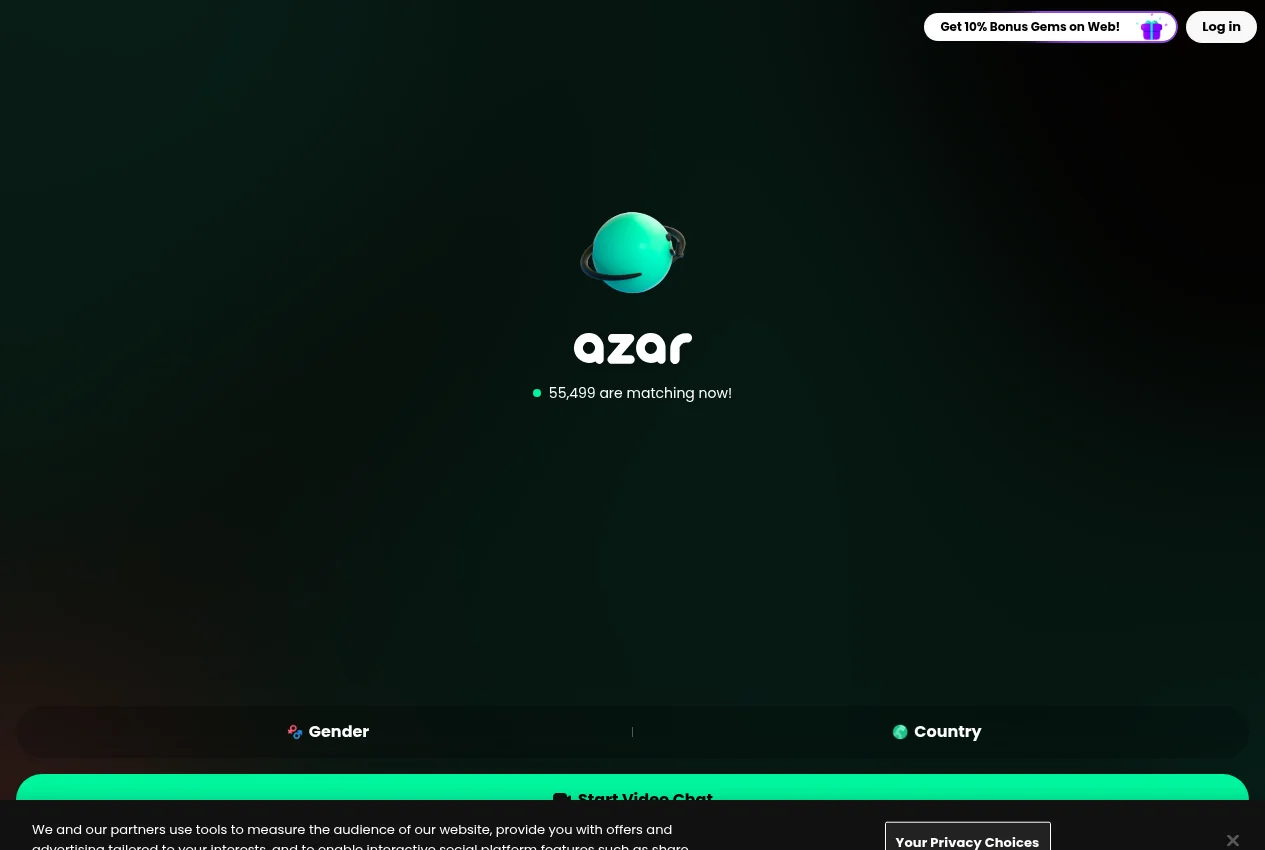
Azar offers an official Web version at azarlive.com. Its help center describes opening a desktop browser, logging in or creating an account, setting up a profile if prompted, and allowing camera and microphone permissions when using video. That makes Azar Web a meaningful option for someone who doesn't want to rely on a mobile app.
YOYO also provides a direct browser entry at web.yoyovideochat.com. Start there, then follow the current options for entering, signing in and initiating an interaction. A browser entry does not guarantee anonymous access, free unlimited calls or the exact same modes as the mobile app.
A practical test takes two minutes: open each official link, note how many steps appear before you can explore, and check whether the entry works on the device you plan to use. A smooth first impression matters more than a screenshot from an outdated article.
3. Translation: subtitles and chat text are not the same thing
This is the most consequential difference for international conversations. Azar's Google Play listing describes real-time voice-to-subtitle translation, which is designed to help you follow speech across languages. If you want to listen to a person speaking and read a translated line on screen, that specific feature is worth testing.
YOYO's existing translation guide discusses translation in the context of social conversations, particularly translated chat messages. A typed translation can help when you want to clarify a sentence or don't feel confident speaking yet. It should not be presented as identical to real-time spoken subtitles unless the current product demonstrates that functionality.
Neither approach is perfect. Slang, names, fast speech and poor microphone quality can introduce errors. If you're serious about cross-language conversation, test one ordinary sentence and one casual expression before paying for translation-related extras.
4. Free features and paid preferences
Azar's public information says that some choices involving gender and region require gems or a subscription. That isn't automatically bad: paid preferences can be useful when they directly solve the problem you have. But you should know whether the charge buys a filter, a specific interaction, a time allowance or a recurring subscription.
YOYO's homepage states that the app is free to download and that you can get started on the Web, while some features may involve optional purchases. It does not follow that every conversation or filter is free. Read the current terms on the payment screen before spending.
Instead of comparing a headline like “free video chat,” compare three costs: cost to enter, cost to use the feature you actually want, and cost to keep using it. That's how you avoid paying for an attractive option that doesn't change your experience.
5. Safety and the quality of a conversation
Azar publicly describes moderation and reporting features. With YOYO or any similar platform, check the accessible controls for ending, reporting and blocking an interaction. Technical safety features matter, but your own judgment still matters: never share verification codes, financial details or private documents, and leave when someone ignores a clear boundary.
A useful test is not “Which app has the most safety slogans?” It's “Can I find the exit and report controls quickly, and do I understand how the service handles my information?” Review the current policies rather than relying on promotional claims.
6. Who should try which?
Try Azar first if: translated voice subtitles are the reason you want international calls; you already use its account; or you're willing to evaluate paid matching preferences.
Try YOYO first if: you'd like a different social video-chat setting; you want to start from a browser link; or you'd rather compare the atmosphere of a conversation before deciding which service suits you.
Try both briefly if: you don't need a particular premium feature. Keep the test small: use the official Web entries, compare the steps to get started, and judge how comfortable the actual conversations feel.
If you want a broader shortlist rather than a direct comparison, see our Azar alternatives guide. For entry and browser questions, read how YOYO Web works.
FAQ
Is YOYO the same as Azar?
No. Both involve social video conversations, but their published feature sets, interfaces and paid options differ. Azar explicitly promotes voice-to-subtitle translation; check YOYO's current Web features before assuming equivalents.
Can I use Azar without installing an app?
Azar offers an official browser service. Its support material describes a login or registration flow and browser permissions for a video call.
Is YOYO completely free?
Its homepage describes free entry and optional purchases. Check the specific screen before using any paid conversation, coins, subscription or filter.
Which service is better for talking across languages?
If live spoken subtitles are essential, Azar explicitly advertises that capability. If you value an alternative social environment and are willing to verify the translation options, YOYO is worth a look.
Make the comparison with your own first conversation
A genuine test is more revealing than another “best app” ranking. Explore YOYO Web, review the entry choices, and compare the experience with the features you already know from Azar. Keep what works for you.